Importing into the EU? Get ready for the new PID Rules with our SKU Importer
If you sell into the EU, your customs data is about to get more demanding. From 1st November 2026, every B2C shipment – even those valued below €150 – will need three product identifiers per line item, not just a description and a value.
It's a small change on paper. In practice, it means every product you ship has to carry proper reference data, and any gaps in that data will start causing problems at the border.
We've been getting ahead of it. Here's what's changing, and how to make sure you're not scrambling in October.
What's actually changing
From 1st November, EU customs will require three product identifiers for low-value B2C shipments:
Merchant Product Identifier - your own SKU, listing ID, or equivalent. Always required.
Non-Standardised Manufacturer Product Identifier - the manufacturer's own reference code. Always required.
Standardised Manufacturer Product Identifier - a GTIN, EAN, ISBN, or similar recognised standard, where one exists.
It sits alongside the wider changes that came into force on 1st July: the end of the De Minimis €150 duty exemption, a flat €3 customs charge per line item on low-value B2C shipments, and a requirement for every parcel to carry its own individual customs declaration.
Put simply, customs is moving from "describe what's in the box" to "prove exactly what's in the box, with a recognised reference for every item." Missing identifiers mean delays, rejected declarations, or shipments held at the border – not the impression you want to give a customer expecting a quick delivery.
Where this data actually lives
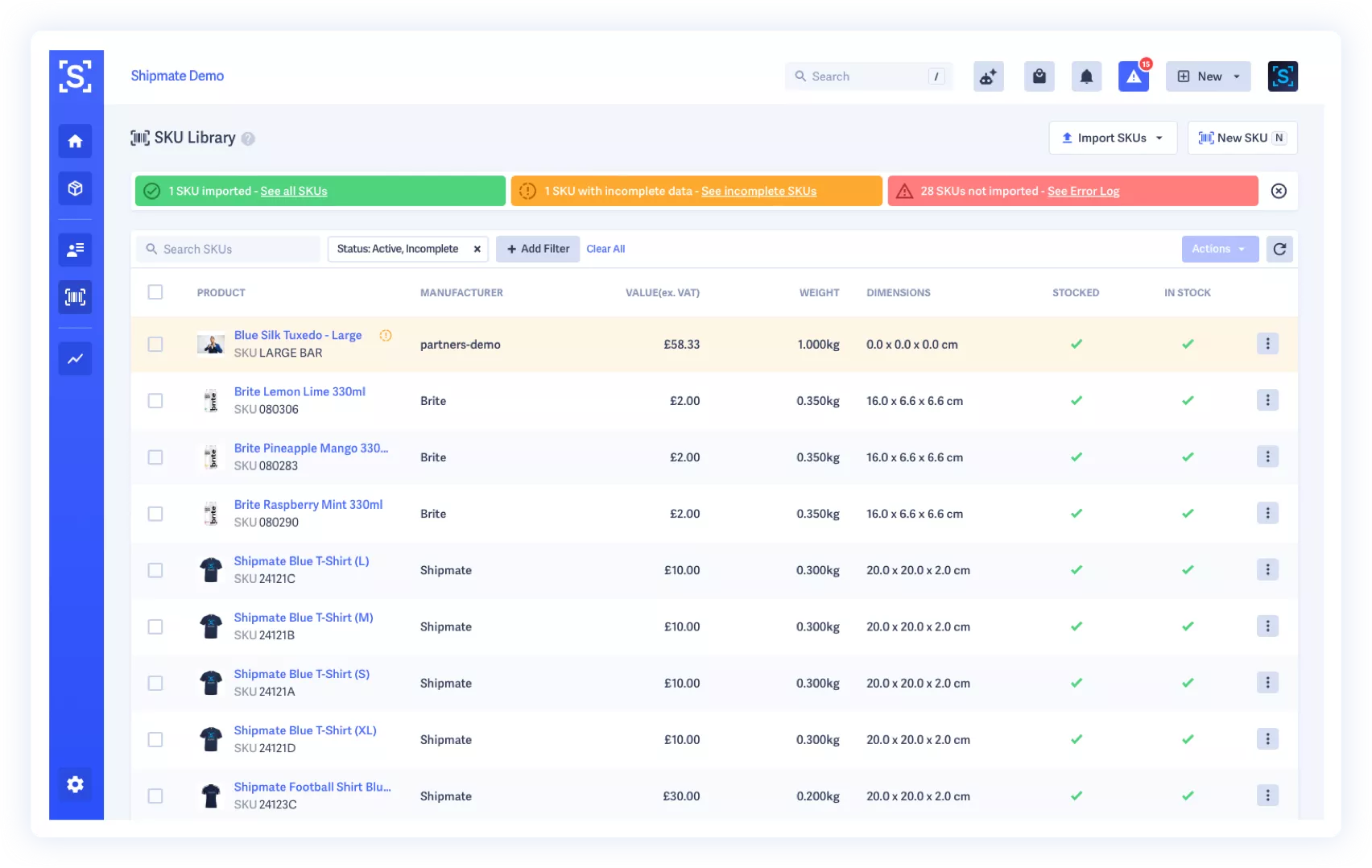
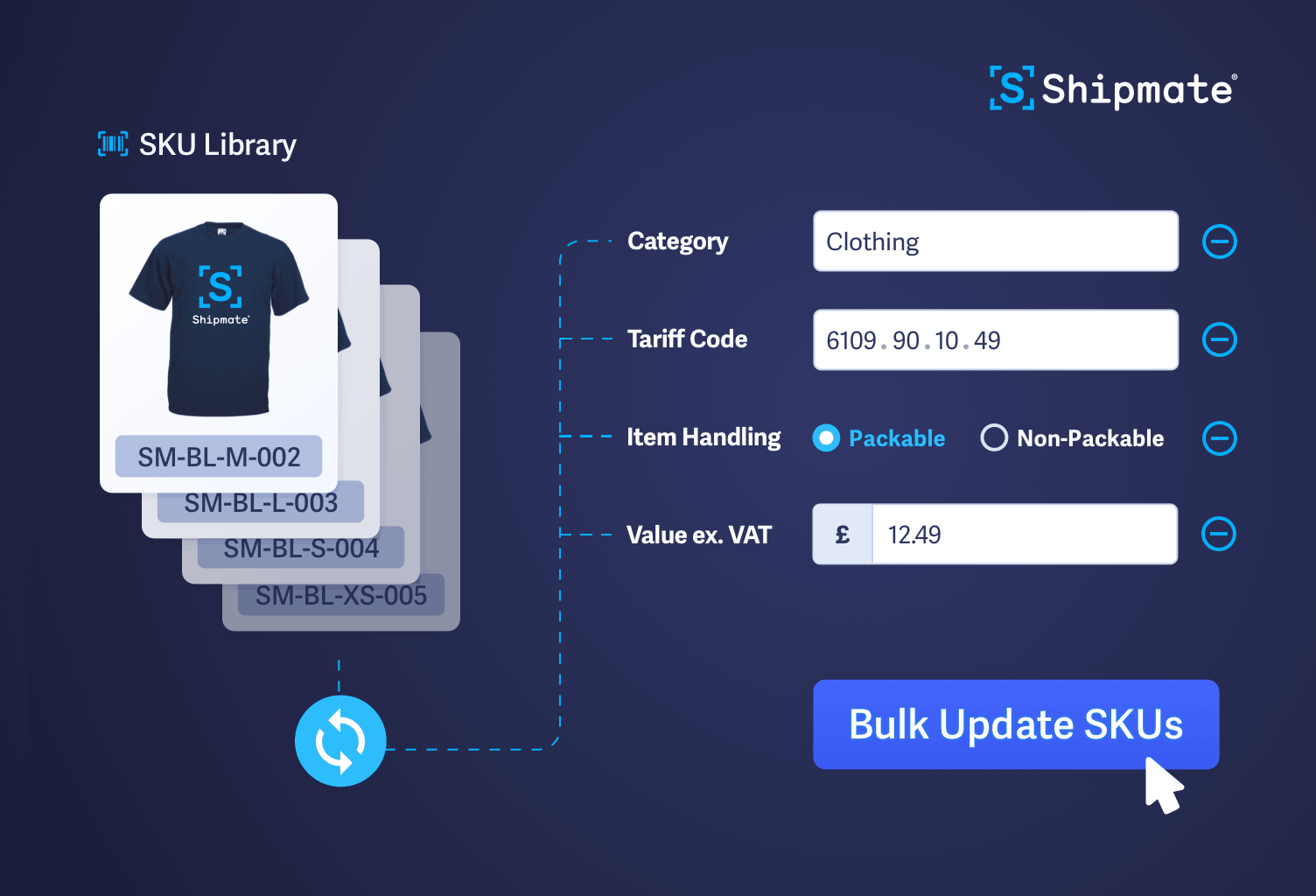
This is exactly what our SKU Library was built for. It holds a full shipping-relevant record for every product you sell: values, weights, tariff codes, country of origin, and now maps directly onto the three identifiers the EU is asking for.
This table details out the new Product ID requirements and where the data is retrieved by Shipmate from your Sales Channel.
EU Requirement | In Shipmate | From Shopify | From WooCommerce | Notes |
Merchant Product Identifier | SKU | SKU | SKU | Maps correctly for everyone |
Non-Standard Manufacturer Product Identifier | Product Code | SKU (by default) | SKU (by default) | Only correct if your SKU is your manufacturers code - otherwise map to a custom field, or leave unmapped and add manually* |
Standardised Manufacturer Product Identifier | Inner Barcode | Barcode | Global Unique Identifier (GTIN, UPC, EAN or ISBN) | Maps correctly if populated |
*One thing worth being clear on: importing your SKUs alone isn’t automatically enough.
Two of the three map correctly out of the box. The one to check is Non-Standard Manufacturer Product Identifier/Product Code: it defaults to your SKU, which is only correct if your SKU already is your manufacturer's code. If it isn't, you can customise the mapping in the Shipmate SKU Import settings. Map it to a custom field in your store, or disable overwrite for that field and set it directly in Shipmate – either works, so long as it's deliberate rather than assumed.
Once your SKUs are in the Library, Shipmate pulls the right identifiers onto every shipment automatically, whether you're booking manually, importing via CSV, or shipping through our API. No re-keying data per order, no chasing down GTINs at the point of despatch.
The SKU Importer: the fastest way to get ready
If your SKU Library isn't fully populated yet, now's the time - not the last week of October.
Our new SKU Importer lets you bring your product data in at scale.
Connect your Shopify or WooCommerce store and import your product catalogue directly into the SKU Library. A progress bar tracks the import, and you're free to navigate away while it runs. When it's done, you'll get a clear breakdown of what imported cleanly (green), what needs a bit of attention before it's ready to use (amber), and what didn't import (red).
Have your SKUs in another system? Export them, drop them into our fixed CSV template, and import the lot in one batch. Shipmate checks the format before processing, so you'll know straight away if anything needs fixing.
Either way, once imported, your identifiers are live across the platform immediately, ready for every shipment from that point on.
What happens next, once the data's in
Getting your SKU Library populated isn't just about ticking a compliance box. It's what lets Shipmate do the heavy lifting for you at the point of shipping.
Customs documentation is already generated automatically and can be transferred electronically straight to your carrier (where available), or produced as printable customs docs from within Shipmate, pulling directly from your SKU Library so there's no manual entry per shipment.
We're also building the ability to consolidate multiple units of the same tariff code class from the same country of origin onto a single declared line, rather than one line per SKU, helping keep the number of chargeable line items, and the duty exposure that comes with them, as low as possible for supported shipments. Watch this space.
Using our API or CSV import to ship?
If your workflow relies on our API or CSV importer to create shipments, get in touch with our team. We'll help make sure your integration is pulling the right identifiers from the SKU Library and that nothing falls through the gaps when the new requirements take effect.
Get your SKU Library ready now. Head to the SKU Library in Shipmate and run an import, it takes minutes, and it's one less thing to think about when 1st November arrives.
 Shipmate - automated shipping software for UK and Republic of Ireland online retailers












 Carrier Integrations

 Channel Integrations